mirror of
https://github.com/bringout/oca-financial.git
synced 2026-04-25 14:22:00 +02:00

1.7 KiB
1.7 KiB
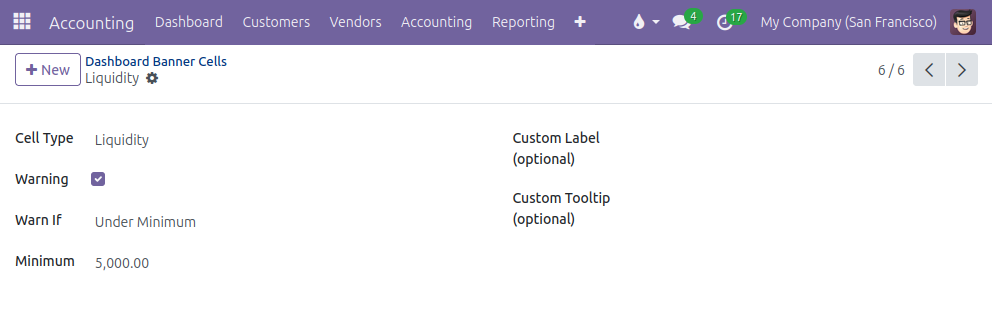
Go to the menu Invoicing > Configuration > Dashboard > Dashboard Banner Cells: in this menu, you can add or remove cells from the banner, change the cell type, modify the order via drag-and-drop, customize the labels if necessary.

Many cell types are available:
- Income with 4 options: Fiscal Year-to-date Income, Year-to-date Income, Quarter-to-date Income and Month-to-date Income. It displays the period balance of the accounts with type Income and Other Income.
- Liquidity: it display the ending balance of the accounts linked to a bank or cash or credit journal.
- Customer Debt: it displays the ending balance of the default Account Receivable and, if the point of sale is installed, the intermediary account used for unidentified customers.
- Customer Overdue: same as the Customer Debt, but limited to journal items with a due date in the past.
- Supplier Debt: it displays the ending balance of the default Account Payable.
- Lock dates: all the lock dates are available: Tax Return Lock Date, Journals Entries Lock Date and All Users Lock Date.
The module is designed to allow the modification of the computation of the different cell types by inheriting the method _prepare_cell_data_<cell_type>() or _prepare_cell_data(). It is also easy for a developper to add more cell types.
It is possible to display a cell as a warning cell (yellow background color instead of light grey): click on the Warning option and customize the conditions to trigger the warning.